Commercial Service

IT Workstation Moves in Boston and MetroWest

Your seat map guides the physical disconnect, labeling, move, and reconnection of desk equipment; your IT contact handles technical setup.

(774) 421-9389
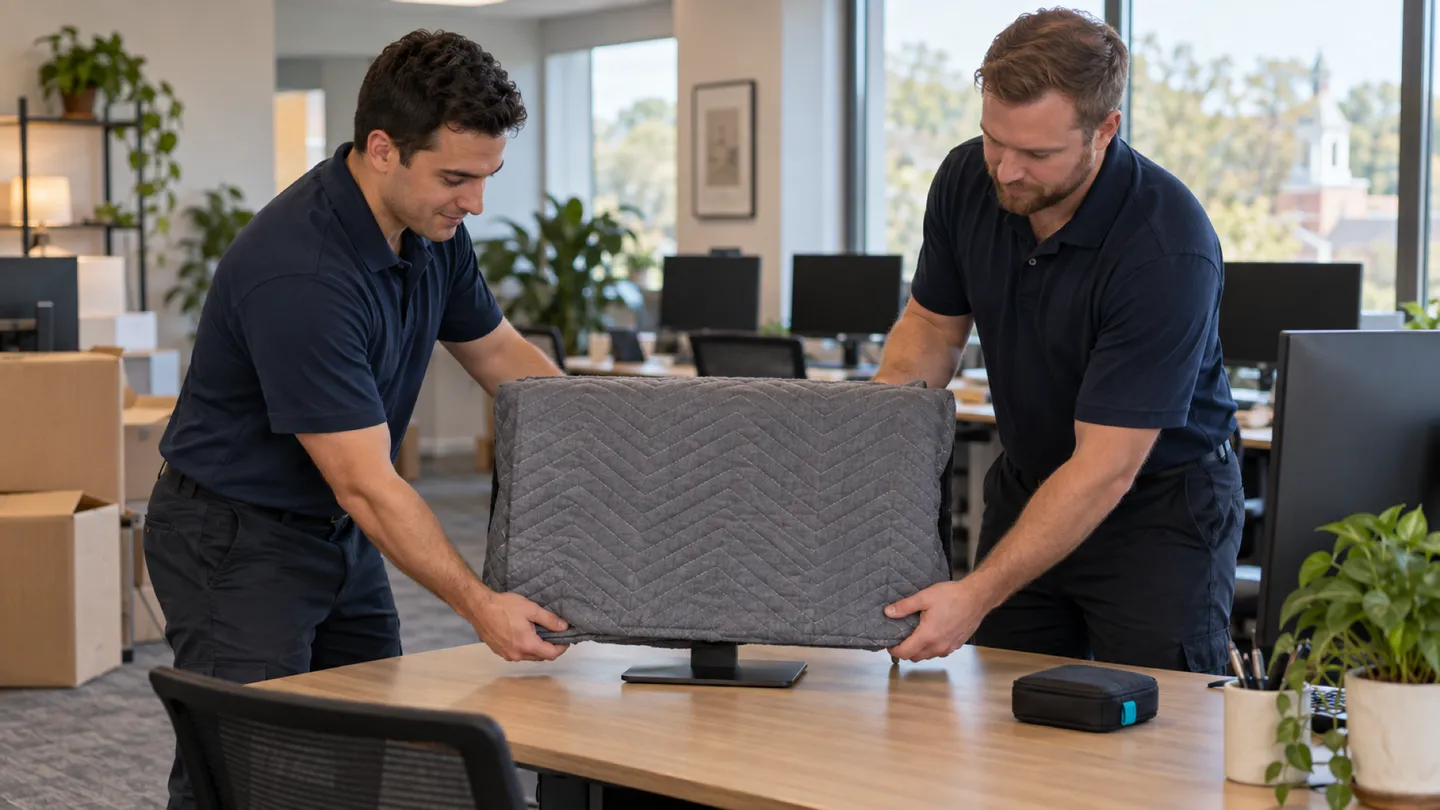
IT Workstation Moves moving in Boston and MetroWest: moving crew at work
  • Licensed & Insured Fully Covered
  • Owner-Operated By Tyler Trefrey
  • 10 States Northeast Served

Start your free commercial move quote

verified For estimate purposes only credit_card_off No credit card required

How We Plan IT Workstation Moves

Moving desk technology has a physical side and a technical side. The physical side is ours: the crew unplugs it, labels it, protects it, moves it, and plugs it back in at the right desk. Everything behind the wall jack, meaning networks, servers, phone systems, imaging, and accounts, belongs to your IT contact, and the move goes smoothly when that line is clear from the start.

The sequence is simple. Your office manager gives us the old and new seat maps, and your IT contact marks any device that must stay with a particular person. Most companies ask employees to take their laptops home the night of the move, which leaves docking stations, monitors, keyboards, and desktop towers for us. Before unplugging, the crew photographs the back of each station, then tags every device and cable bundle with the new seat code and bags the small leads. Monitors ride upright in padded carts. At the new desk, the same cables go into the same ports, and your IT contact checks each seat the next morning. Leased copiers usually have to be moved by the copier company under the lease.

Who usually signs off
Facilities or office manager approving the seating plan, with the IT contact specifying device assignments and technical handoff
Timing that works
After staff log off for the last time at their old desks, often on a Friday night or over a weekend, with the IT contact's checks set for the next morning.

What typically moves

  • Desktop towers and small-form computers Tagged with the new seat code before cables come off.
  • Monitors and monitor arms Ride upright and padded; arms are removed or left on the desk as your plan says.
  • Docking stations and power bricks Bagged with their seat code so they never mix with the next desk's.
  • Desk phones and headsets Grouped by seat; the phone system itself is your IT contact's.
  • Desktop printers and scanners Paper and toner removed first, then padded for the move.
  • Keyboards, mice, and webcams Packed together per seat so each set returns to its user.

Access and scheduling

Work back from the moment each desk is released. Your office manager marks who is still working; your IT contact marks what must stay powered, such as a reception phone or a shared printer, until the end. We move released seats in the order you choose and leave each new desk ready for the IT check. Evening and weekend moves are common and can be arranged on request.

In Boston towers, the freight elevator and dock will need booking, and the building may want proof of insurance, sent in the form it asks for. In Route 128 and I-495 office parks, a shared door or an occupied corridor may still set the order. Give us both seat maps before the day, and have one person on call to settle any desk whose tag does not match the plan.

Protection and handling

Screens are the fragile part. They ride upright in padded carts or cartons, with nothing pressing on the display. Towers and printers are strapped so they cannot shift, and printers lose their paper trays and toner first so nothing leaks in transit. Cables are coiled, tied, and bagged with the seat code.

At the new floor, the desk has to be built and its outlets and data jacks live before equipment is placed. Each device lands where the seat map shows, and its cables go back in the ports the photos show. If a port is different, a cable is missing, or the desk needs another setup, we place the equipment and flag the seat for your IT contact rather than improvising.

Who does what

Some of this job belongs to other trades. The written plan names each one.

Network, servers, phone system, imaging, and accounts
Your IT contact prepares, moves, and tests them.
Leased copiers and multifunction printers
Under most copier leases, the leasing company relocates and reinstalls them.
Data jacks, cabling, and building power
Your cabling contractor or electrician installs and tests them before move day.

Not part of our work

  • Network setup, imaging, software, or testing.
  • Server rooms, network closets, and fixed cabling.
  • Opening computers or removing drives.

Around Boston and MetroWest

Workstation moves in this market range from dense open floors in the Financial District, Back Bay, and Kendall Square, where freight elevators set the pace, to suburban offices in the Route 128 and I-495 parks, where carts cross a lot to a ground-level door.

The crew that shows up

Two Eastside Movers crew members outside a client's red front door

IT Workstation Moves FAQs

Another question? Call (774) 421-9389.

What should our IT contact prepare before the first workstation is unplugged?

A confirmed seat map, a list of devices that must stay with a particular person, and the seats that cannot be released until late. It helps to decide ahead how cable mismatches at the new desks will be handled. We label from that, and your IT contact checks each station after we reconnect it.

How do you keep two identical monitors from being swapped between employees?

The new seat code goes on each monitor and on its cables before it leaves the old desk, and the group stays together from cart to desk. If the seat map changes after tagging, your office manager sends the change so the tags and the plan still match.

Should employees take their laptops home before the move?

Usually yes. Laptops are easy for staff to carry, hold their own data, and are the devices people need first on Monday. Most IT contacts ask staff to take them home the night of the move. We move everything left on the desk: docks, monitors, peripherals, and towers.

What happens if the new desk has different ports or missing cables?

We place the equipment at its seat and flag it rather than swapping cables or changing settings. Your IT contact decides which adapter or cable is needed and finishes the setup. Flagging by seat code makes it clear the next morning which desks still need attention.

Plan your business move

Tell us both addresses, the building rules you know about, and the dates you cannot move. We will send back a written plan and estimate.

Call (774) 421-9389

Mon–Sat 8:00 AM – 5:00 PM

Call Now call 774-421-9389